Santa Driver Coloring Book
Reviews
Santa Driver Coloring Book provides a delightful creative outlet for kids. The 10 pictures of Santa driving different vehicles are charming and varied. The color palette is bright, and the shape tools add a fun extra layer. Controls are responsive on both desktop and tablet. It encourages focus and artistic expression without any stress. A solid choice for family-friendly play.
About This Game
Game Introduction
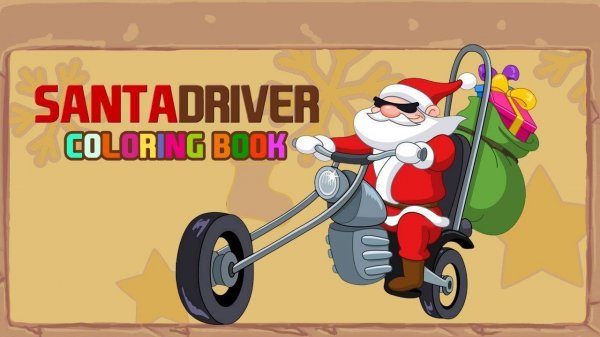
Santa Driver Coloring Book is an online coloring game designed for children. It combines the festive theme of Santa Claus with a variety of vehicles, from a classic sleigh to a modern car. The core objective is to color and personalize pictures of Santa driving different vehicles. This game offers a calm, creative experience with no time limits or rules, making it ideal for young artists to explore their imagination. The content is entirely family-safe, with no violence or inappropriate themes, providing hours of fun for children and families alike.
How to Play
Players start by selecting one of the available Santa driver pictures from the main menu. Using a mouse or touch screen, they choose a color from the palette on the side and click or tap on the area they wish to color. Colors can be switched at any time. Additionally, players can pick fun shapes from the shape tools and place them anywhere on the image for extra decoration. There are no rules or time limits, so players can color at their own pace. Mistakes can be undone or the picture can be started over. Once satisfied, the artwork can be saved to the device.
Game Features
The game includes multiple unique Santa driver pictures featuring different vehicles. A colorful palette offers many shades to choose from. Fun shape tools allow kids to add stars, hearts, and more to their artwork. Easy controls work with mouse or touch screen. The game is safe for all ages with no ads or inappropriate content. It is designed to be simple and relaxing, with no time limits or rules, helping children practice focus and fine motor skills while having fun.
Tips for Success
To get the most out of the game, encourage children to experiment with different color combinations and shape placements. There is no right or wrong way to color, so creativity is key. Taking time to carefully fill each area can help improve fine motor skills. If a mistake is made, use the undo feature to fix it. Saving completed artwork can provide a sense of accomplishment and allow children to share their creations with family and friends. Most importantly, relax and enjoy the process without any pressure.
Compatibility
▸ Desktop: Chrome / Edge / Firefox / Safari ▸ Mobile: iOS Safari / Android Chrome ▸ Tablet: iPadOS Safari / Android Tablet Browser Keep your browser updated for the best experience