Tactical Team Action Shooter
Developer River Rift Labs
Published 2025-11-05
Updated 2026-06-06

Tactical Team Action Shooter

action shooter multiplayer team play

Reviews

This game offers multiple modes like blaster challenges and survival waves, keeping gameplay diverse. The smart AI adapts to your actions, providing unique encounters each time. Offline mode is perfect for practicing before competitive multiplayer. Custom servers add flexibility for playing with friends. A solid choice for tactical action fans.

About This Game

Game Introduction

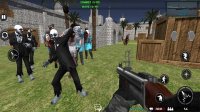
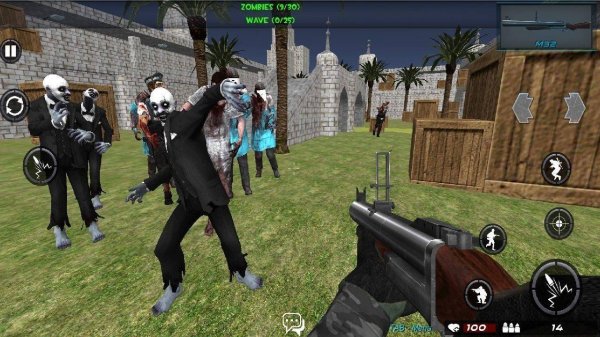
Tactical Team Action Multiplayer Game is a first-person action game that emphasizes team coordination and strategic shooting. Players can engage in various modes, including blaster challenges, survival wave battles, free-for-all matches, and team vs team fights. The game features smart enemy AI, such as soldiers and zombies, that adapts to player actions, creating unique encounters each time. With both offline and multiplayer options, this game offers a blend of solo practice and competitive team play.

How to Play

To play, start by selecting a game mode: blaster challenge, survival wave, or team battles. In offline mode, players must use limited ammunition wisely to defeat enemies armed with various blasters. Aim carefully and manage resources to survive. For multiplayer, create a custom server or join friends' matches to compete against other players and their zombie allies. Work with your team to outsmart opponents and the AI. Controls are intuitive for new players while offering depth for experienced ones. Practice in offline mode before joining multiplayer matches.

Game Features

Game features include multiple modes for variety, smart AI that adjusts to player actions, offline and multiplayer options, custom server creation, and team play mechanics. Each mode offers different challenges, from timed blaster challenges to endless waves. The AI provides realistic enemy behavior, making each match feel fresh. Players can easily switch between solo and group play.

Tips for Success

Practice in offline mode to learn enemy patterns and improve your aim. Manage your ammunition carefully, especially in survival waves. Communicate with teammates during multiplayer matches to coordinate strategies. Try different modes to find your preferred playstyle.

✅ Compatibility & Testing

• Desktop (Windows 11, macOS Ventura)
• Mobile (iPhone 14, Samsung Galaxy S23)
• Tablet (iPad Pro, Android tablet)
✅Supported browsers: Chrome, Safari, Edge, Firefox (latest versions)
❌ Not supported: Internet Explorer, older browser versions

Advertisement

Faq

Is this game suitable for beginners?
Yes, the game is designed to be accessible for new players. The offline mode provides a safe environment to learn controls and enemy patterns without pressure. Intuitive controls and a practice mode help beginners build skills before jumping into competitive multiplayer matches.
Can I play this game alone?
Absolutely. The game includes an offline mode where you can face enemies solo. This mode allows you to practice tactics, manage limited ammo, and improve your aim. It's a great way to enjoy the game without needing an internet connection or other players.
What platforms is this game available on?
The game is primarily designed for PC and may also be available on consoles or mobile devices depending on the version. Check the official store page for specific platform availability. The first-person perspective suggests it is best suited for systems with precise controls.
Does the game require a constant internet connection?
No, the game features an offline mode that does not require an internet connection. You can play solo missions and survival waves without being online. However, multiplayer modes and custom server creation will require an active internet connection to connect with other players.
Are there different difficulty levels?
The game may include difficulty settings that affect enemy AI behavior and resource availability. While not explicitly stated, many games of this type offer adjustable difficulty to cater to both casual and hardcore players. Check the in-game options menu for available settings.
How do I create a custom server for multiplayer?
To create a custom server, select the multiplayer option from the main menu and choose 'Create Server.' You can then set parameters like map, mode, and player limit. Share the server details with friends so they can join. This feature allows for private matches and tailored gameplay experiences.