Snowball Skirmish Arcade Game
Reviews
Snowball Skirmish delivers a clean and enjoyable two-player experience. The platformer elements add depth to the snowball fight, requiring players to aim and dodge carefully. Each round is short, which encourages replayability. The game is easy to learn, making it suitable for all ages. It provides a safe and friendly way to compete indoors.
About This Game
Game Introduction
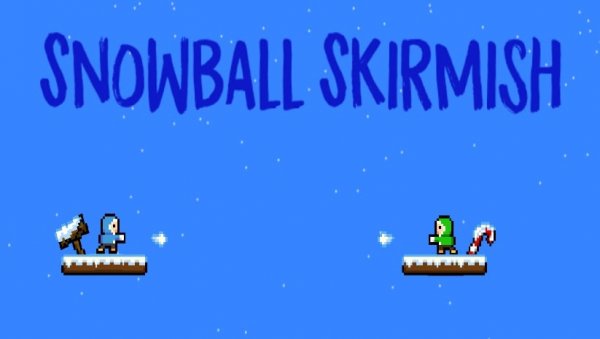
Snowball Skirmish is a two-player arcade action game that recreates the fun of a winter snowball fight in a digital arena. Players control characters on a platform-filled snowy field, aiming to hit their opponent with snowballs while dodging incoming throws. The game emphasizes skill, timing, and friendly competition, making it a lighthearted choice for kids and families. Created by Sahil Litt in March 2020, it offers a simple yet engaging way to enjoy a classic outdoor activity indoors. The fast-paced matches are designed for short play sessions, encouraging quick thinking and coordination between two players.
How to Play
Two players face off on the same keyboard. Each player moves their character left and right across platforms, jumps to avoid attacks, and throws snowballs to score points. A successful hit adds one point to the player's score. The first player to reach a target score wins the round. The platforms add a strategic element, allowing players to jump for better throwing angles or to evade snowballs. Controls are easy to learn, making the game accessible for all ages. The goal is to outmaneuver your opponent and land more hits to claim victory.
Game Features
Key features include two-player local multiplayer using a single keyboard, platformer-style arenas that add vertical strategy, and quick rounds that keep matches fast and engaging. The game runs in a web browser with no downloads required, offering instant access. Its simple design and focus on skill and timing provide endless replayability, as each match is unique. The family-friendly theme ensures a safe environment for friendly competition, suitable for kids and adults alike.
Tips for Success
Master the controls by practicing movement and jumping to dodge snowballs effectively. Use the platforms to gain height advantages, making your throws harder to avoid. Pay attention to your opponent's patterns and anticipate their moves. Stay mobile to avoid becoming an easy target. Quick reflexes and strategic positioning are key to landing more hits. Play regularly to improve your timing and aim, and communicate with your partner for a more enjoyable experience.
🛠️ Compatibility
• OS: Windows 10+, macOS 11+, iOS 14+, Android 10+ • Browsers: Chrome 100+, Safari 15+, Edge 100+, Firefox 100+ • Not compatible with Internet Explorer Tested on real devices – works as expected