2048 Cube Merge Puzzle
Reviews
2048 Cube Merge offers a refreshing take on number puzzles with its shooting mechanic. The grid management requires careful planning, and the upgrade system adds depth without complexity. Visuals are bright and animations are fluid. It is easy to pick up but offers enough challenge to keep you coming back for more. A solid choice for puzzle fans seeking a clean and engaging experience.
About This Game
Game Introduction
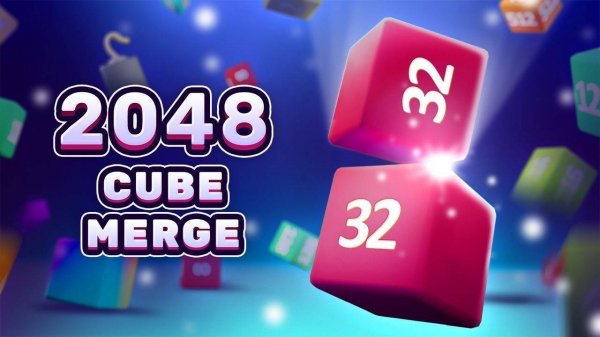
2048 Cube Merge: Puzzle Challenge Game is a casual puzzle game that reimagines the classic number-merging concept. Instead of sliding tiles on a board, players shoot numbered cubes onto a grid with the goal of combining matching numbers. Each successful merge creates a new cube with a doubled value, ultimately aiming to reach the coveted 2048 cube. The game offers vibrant visuals and smooth animations, providing a relaxing yet mentally stimulating experience suitable for players of all ages.
How to Play
Players start each round by observing the cube in their launcher. By tapping or clicking, they aim at the grid and release to shoot the cube onto it. The objective is to land the cube next to another cube with the same number. When two matching cubes touch, they merge into one cube with a doubled value—for example, two 2s become a 4. Strategic placement is key to creating chain reactions and preventing the grid from filling up. The game ends when the grid becomes full, so careful planning and efficient use of space are essential for success.
Game Features
The game features captivating merge puzzle gameplay that is easy to learn but challenging to master. It includes stunning visual effects with colorful cubes and smooth animations. Players can unlock upgrades and customizations to personalize their cubes and launcher. The content is family-friendly, making it appropriate for players of all ages. Controls are intuitive and responsive to touch or click, ensuring a seamless experience. Each game offers a new challenge, providing high replayability.
Tips for Success
To excel in 2048 Cube Merge, focus on planning your shots carefully. Aim to create chain reactions by merging multiple cubes in a single move, as this can clear space and accelerate progress. Keep the grid as organized as possible to avoid premature filling. Prioritize merging larger numbers near the center or edges to maintain flexibility. Practice regularly to improve your aim and timing, and experiment with different upgrade paths to find what suits your playstyle best.
❓ Having issues?
✅ This game supports: - Desktop browsers (Chrome, Edge, Safari) - Mobile browsers (Chrome on Android, Safari on iOS) ❌ Does NOT support: - Internet Explorer - Very old browser versions 👉 Try refreshing or updating your browser