Designing Your Signature Bag
The process begins with selecting a base shape for your handbag. Options range from structured totes to soft pouches, each offering a different canvas for your ideas. After choosing a silhouette, you apply color from a palette that includes both bold and subtle tones. Next, you can add surface patterns or textures to give the bag depth and character. This stage allows for a wide range of visual effects, from smooth gradients to geometric prints. The goal is to build a bag that feels personal and polished.Adding Decorative Details
Once the main body of the handbag is complete, you can attach small accents to enhance its look. Ribbons, small charms, and fabric flowers are among the items you can place on the bag. These details can be positioned freely, letting you create symmetrical or asymmetrical designs. The placement of each accessory changes the overall feel of the bag, turning a simple shape into a statement piece. This step rewards careful thought about balance and contrast.Coordinating a Complete Outfit
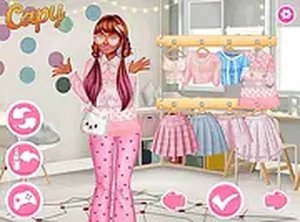
After finishing the handbag, you move to the wardrobe section. Here, you pick a summer dress and a hat that work well with your creation. The dress options include different lengths, necklines, and sleeve styles. Hats range from wide-brimmed sun hats to more casual caps. The challenge is to create a cohesive look where the bag, dress, and hat feel like they belong together. This part of the game encourages you to think about color matching and overall style harmony.A Relaxed Creative Space
The game is designed to be a low-pressure environment. There are no timers, scores, or wrong choices. You can take as much time as you like on each step, and you can start over at any point to try a different combination. This makes it suitable for players who want a calming activity rather than a competitive challenge. The interface is simple, with clear icons and a full-screen mode that helps you focus on your design.Accessibility and Platform Support
Handbag Style Workshop runs directly in a web browser without any downloads or installations. It works on both desktop computers and mobile devices, with mouse clicks on a PC and touch taps on a phone or tablet. The layout adapts to different screen sizes, so the design tools remain easy to use on smaller displays. This broad compatibility means you can play at home or on the go, as long as you have an internet connection.Compatibility
• OS: Windows 10+, macOS 11+, iOS 14+, Android 10+
• Browsers: Chrome 100+, Safari 15+, Edge 100+, Firefox 100+
• Not compatible with Internet Explorer
Tested on real devices ✅ works as expected





Comments
0 comments